CSUBOT is a super administrator bot.
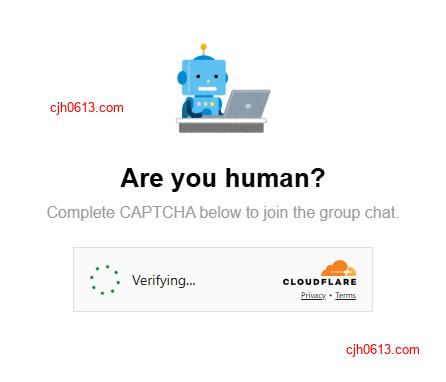
Currently, it can verify new members through verification codes, automatically preventing spam bots in group chats. More features will be added in the future.
This is the Discord version, and there is also a more mature Telegram version
You can click here to join the Discord server to test CSUBOT’s group entry verification function: Join CSUBOT’s discussion group
Recommended: Check the public IP address of this machine when accessing different websites, used to check the current network environment.
You can click here to join the Telegram communication group to test CSUBOT Telegram version robot’s group entry verification function: Join CSUBOT’s discussion group
Open Telegram bot: @CSUBOT
How to join a group as a user?
After you click the invitation link to join the group (Discord server), the bot will send you a private message. Click on this message, and then the bot will send you a verification code. After completing the verification, you can chat in the group.
How to start using the bot as a group administrator
Prerequisites
To perform this operation, you need to be one of the following:
- Group owner (Owner)
- Group administrator (Administrator) with sufficient permissions
Steps
First, add the bot as a group administrator, and then configure the identity group in the server settings.
Add the bot as an administrator
Open https://discord.com/oauth2/authorize?client_id=1443890893655642263&permissions=8&integration_type=0&scope=bot+applications.commands , select the Discord server to add the bot to, and confirm the permissions.
Configure identity group
Cancel all permissions for the everyone, the default identity group. Of course, you can also grant unimportant permissions such as browsing history.
Use another account to join this server. After the robot passes the verification, it will create a verified: verified identity group. In the future, after users pass the robot’s verification, they will join this independent identity, and then you can configure appropriate permissions for this identity group.
Common issues
Can I deploy a csubot myself?
The Discord version of csubot is under development and cannot be opened for everyone to deploy. But you can try to deploy the telegram version, click here to view the deployment documentation: Telegram version csubot deployment documentation
Why am I prompted to grant csubot personal data?
You may see the following message on our website:
Asks for your consent to use your personal data to:
- Personalised advertising and content, advertising and content measurement, audience research and services development
- Store and access information on a device
To ensure compliance with the requirements of the European Economic Area (EEA), UK and Swiss regulations, we display this prompt to users in these regions. Services provided by Google, Cloudflare may collect this data.
Some states in the United States also have similar regulatory requirements, so a similar prompt will also be displayed.
Acknowledgments
Github, Google, ChatGPT, Cloudflare